



As the pre-installation feature for Genshin Impact becomes live, players will be able to download some of the game’s planned content ahead of time, know the 2.7 updatr size
Console players will have to wait a bit longer for the function to appear in their client launcher. Players will be required to download 6 to 26 GB of game resources as part of the next patch 2.7 pre-installation package, which will take up a lot of space.
How To Reduce Genshin Impact 2.7 Pre-Installation Download Size For PC And Mobile
Fans are both annoyed and perplexed by the size of the game files. However, there is indeed a way to lower the size of the download package to some amount. Only PC and mobile devices will be able to use the pre-installation capability.
Genshin Impact: Guide to reducing the 2.7 pre-installation
The pre-installation function’s main purpose is to allow players to download some of the game’s impending resources.
Players can use the pre-installation function to cut down on the amount of time it takes to update the game once patch 2.7 is out.
Fans, on the other hand, were taken aback when confronted with massive pre-installation packages.
While some players lack sufficient storage on their devices, others simply lack the necessary internet connection to download such massive files promptly.
Genshin Impact officials have issued a statement clarifying what was before their website. The pre-installation function’s main purpose is to allow players to download some of the game’s impending resources.
Players can use the pre-installation function to cut down on the amount of time it takes to update the game once patch 2.7 is out.
Fans, on the other hand, were taken aback when confronted with massive pre-installation packages. While some players lack sufficient storage on their devices. Others just lack the necessary internet connection and can download such massive files promptly.
Dear Travelers,
The Pre-Installation Function is Now Available on both PC and Mobile platforms!View the full notice here >>>https://t.co/2Sz1yM9rbT#GenshinImpact pic.twitter.com/MaS4zlNW6O
— Genshin Impact (@GenshinImpact) May 27, 2022
This is what they said in the notice :'< pic.twitter.com/RrCPdG0Dyv
— yanyan (@hansevilcode) May 27, 2022
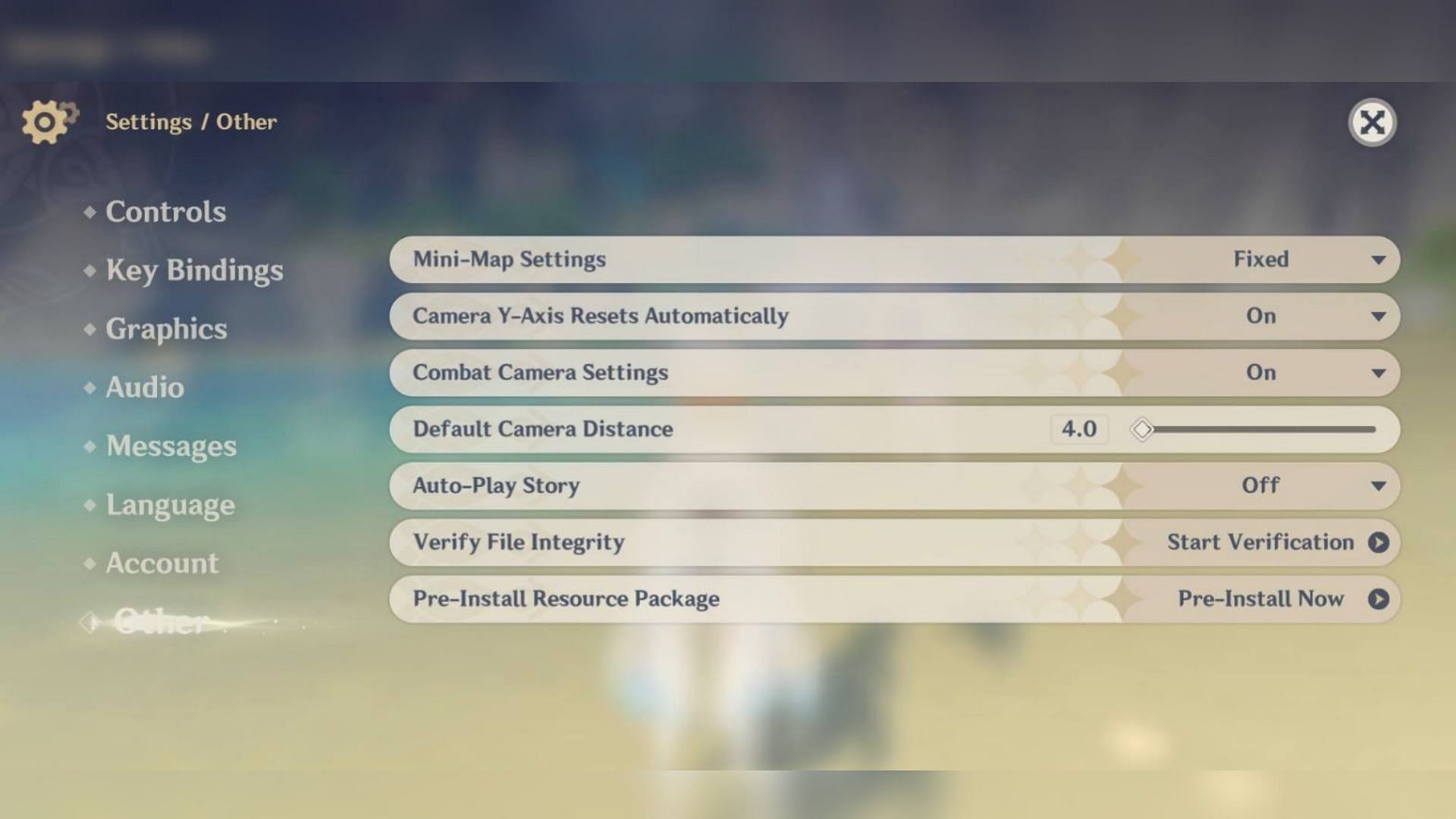
Mobile users can follow these steps to complete their pre-installation:
- Method 1 – Download from In-game settings
- Method 2 – Download from main loading screeen
Players have to login to their accounts on their mobile phones and after logging in, go to Paimon’s Menu settings and select Others.
Genshin Impact officials have issued a statement clarifying what was before their website. Players must stay on their primary loading show to use the alternate technique. By tapping just on the “Pre-Install Resource Package” icon, gamers can start pre-installing game resources.
The icon can be located in the login screen’s bottom-left corner. Before using the pre-installation feature, PC players must first update the client launcher.
Recommended: The Sports Fan App